
01Available
Intelligent website sitemaps
A sitemap shaped by the business, its audience and the site's goals, not a template.
Website planning and content preparation
Not Lorem Ipsum. Not the final word.
Turn messy client briefs into organized website blueprints, thoughtful page structures, and useful first-draft content. Skip the tedious setup and get back to what you love about building websites.
Made for people who make websites.
The groundwork
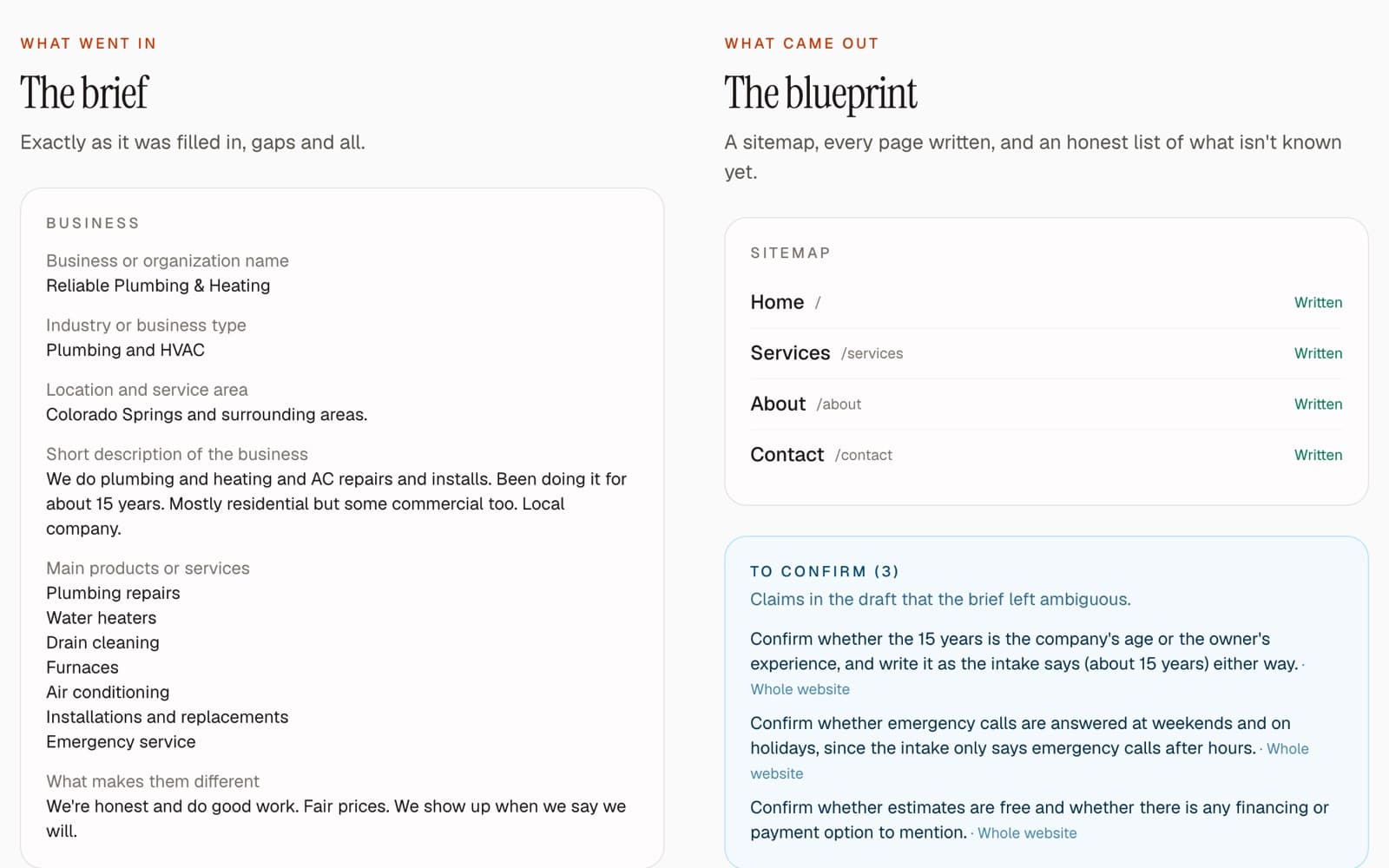
The brief
Half a form, three emails and a voice note.
The notes
Scattered across docs, chats and the back of an invoice.
The structure
Nobody's quite sure which pages the site needs.
The content
“We'll send the copy next week.” (They won't.)
The placeholder
Lorem ipsum, everywhere, for months.
The copying
Pasting the same text into page after page after page.
SiteDraft takes care of that groundwork, so you can spend your time on the work that actually needs a designer or a developer.
Client link
Send your client one private link instead of chasing emails, texts and voice notes. They answer the same discovery questionnaire, in plain language, and everything they add goes straight into the blueprint.
The client link comes with a paid project (one credit) or Unlimited. It isn't part of the free preview.
How it works
Organize the essentials about the client's business, audience, services and goals. Fill it in yourself, or send the client a private link.
Turn that into a practical sitemap, a plan for every page and useful first-draft copy, with anything missing flagged instead of invented.
Review it, refine it and build the website you had in mind. The layout, the typography, the details: that part is still yours.
Features
The planning and content prep that usually eats the first week of a project, organized in one place.
A sitemap shaped by the business, its audience and the site's goals, not a template.
Every page gets a purpose, an audience, a main action and an ordered plan of sections.
Specific, readable copy written from what the client actually told you.
Heroes, services, FAQs, team, galleries and more, each with the image it needs.
A checklist of what's still missing, tied to the page and section it affects.
Export to editable WordPress Gutenberg pages, plain HTML/CSS, or structured JSON.
We don't believe a single prompt should be the end of the creative process. Great websites still need good designers, thoughtful developers, and people who understand the businesses they're building for.
SiteDraft uses AI to help with the repetitive groundwork, not to make every creative decision for you.
You bring the taste, the experience, and the ideas. We'll help you get started.
Honest drafts
SiteDraft never invents phone numbers, awards, testimonials or credentials. When something's missing, it says so, links it to the page that needs it, and lets you or your client fill it in later.
Examples
Two fictional businesses, run through SiteDraft: the brief exactly as it was filled in, the website it drafted, and everything it flagged as missing.
WordPress export
AvailableExport a project as editable WordPress Gutenberg pages, with real content in real blocks, instead of copying text into every block by hand. Start from the basic version in your own theme, or from a styled version with a simple starter theme you're free to rework.
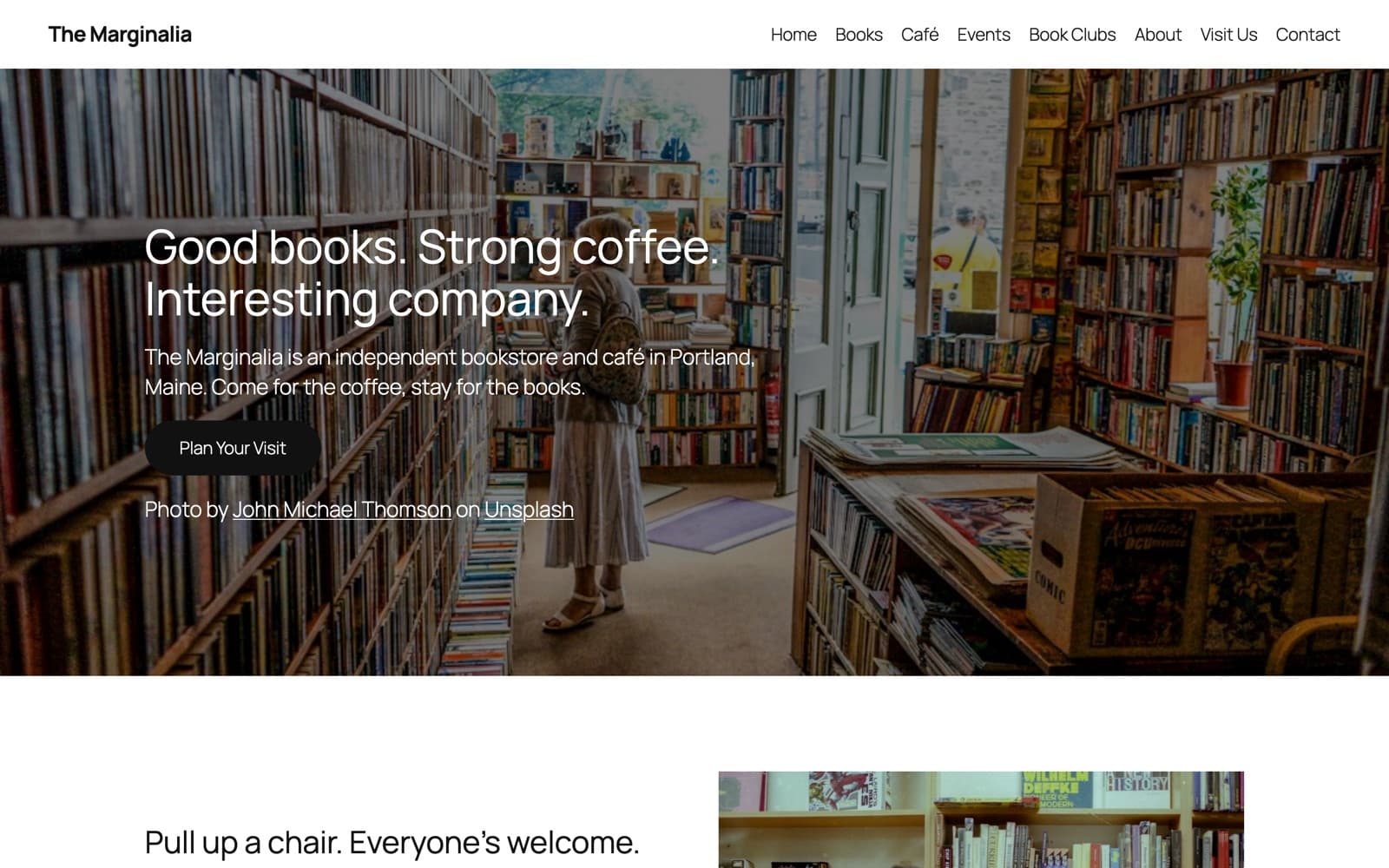
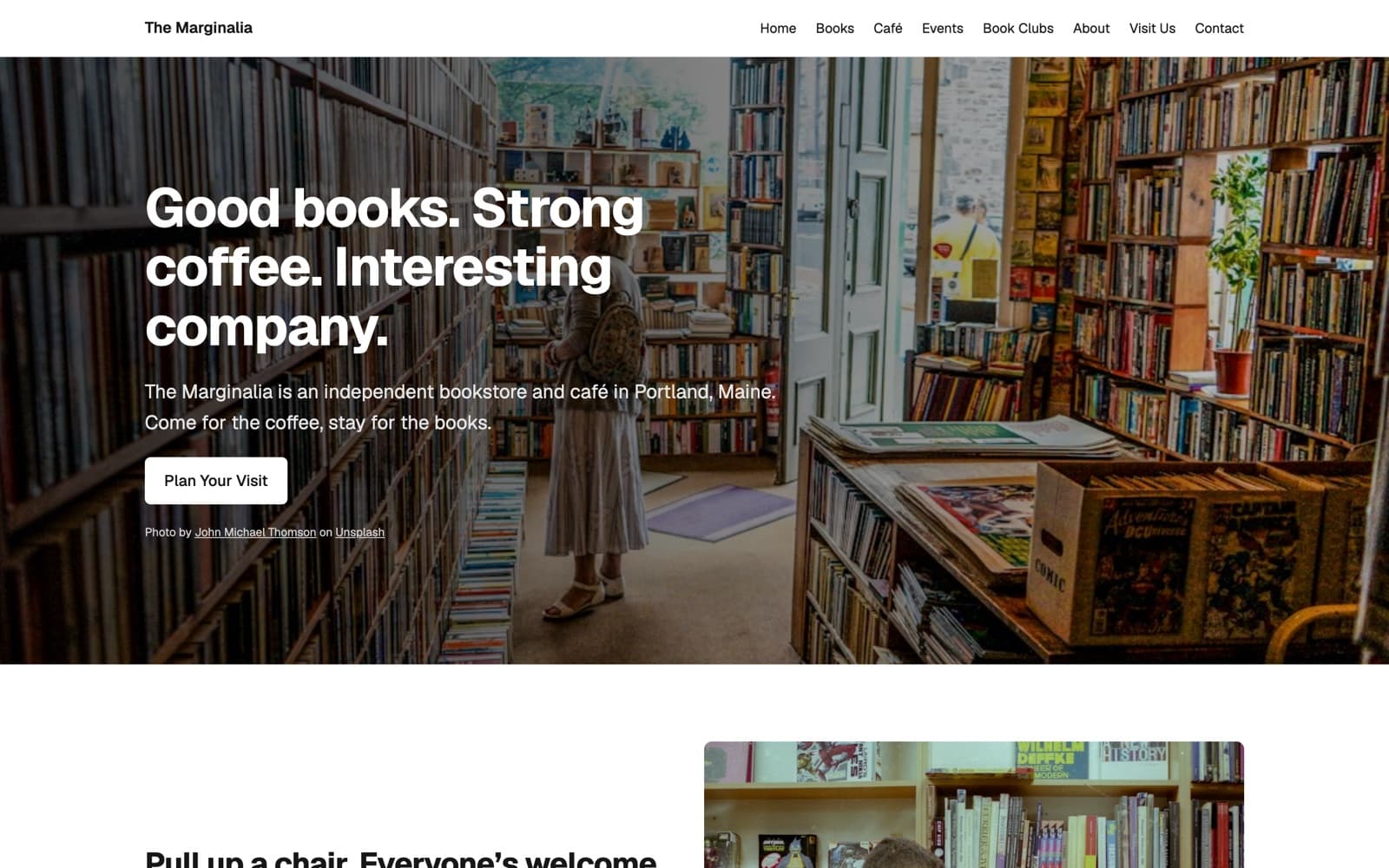
Prefer to hand-code? There's a plain HTML/CSS export too.
Real screenshots of a fictional example business, not mock-ups. See the examples.
For agencies
Every project starts the same way: chase the brief, guess the structure, wait for content. SiteDraft gives each project the same organized starting point, so handoffs are clearer and less time goes into re-typing what the client already told you.
How agencies use SiteDraftPricing
Every project includes the blueprint and a plain HTML/CSS export. Add WordPress export or team profiles when you need them.
For the occasional site, or to try SiteDraft on a real project.
$19one-time
Credit never expires
Buy it in the app once you've signed up, from your Account page or any project.
For freelancers who build a site every so often and don't want a subscription.
$45one-time
Credits never expire · $15 a project
Buy it in the app once you've signed up, from your Account page or any project.
For agencies and busy freelancers who start new sites all the time.
$49per month
Or $540 a year (1 month free) · add-ons included
Buy it in the app once you've signed up, from your Account page or any project.
Add-ons: WordPress Export $29 per project · Team Profiles $19 per project. Included with Unlimited.
Not sure yet? Try it free: one client brief, the full sitemap and the Home page written. No card needed.
FAQ
Yes. Create an account and enter one client brief: you'll get the full sitemap with a plan for every page, and the Home page written, which you can edit and rewrite. Writing the remaining pages, exporting and the client link come with a paid plan.
Yes. Send them a private link: no account needed. They can answer the discovery questionnaire, the follow-up questions about what's still missing, and upload the photos you asked for. You see when they've saved or submitted, they see how complete their content is, and you can send gentle email reminders that stop once they're done. The link expires after 30 days or whenever you turn it off. The client link comes with a paid project or Unlimited; it isn't part of the free preview.
No. SiteDraft prepares the plan and the content: sitemap, page structures, first-draft copy and a list of what's missing. You still design and build the site, in WordPress, plain HTML or whatever you normally use. The exports give you a populated starting point, not a finished website.
Freelance web designers and developers, and small agencies who build websites for clients and are tired of starting every project from a blank page and a half-finished brief.
Yes, all of it. Edit any section in place, rewrite a single section, rename and reorder pages, and pin anything you want rewrites to leave alone. AI changes can be undone.
It's a working draft: specific and usable, but not approved final copy. SiteDraft never invents facts, testimonials or credentials, and anything still missing is clearly marked so it doesn't slip through to launch. Review it with your client before it goes live.
No. It handles the groundwork so designers, developers and copywriters can spend their time on the parts that need taste and judgement. A good copywriter will still make the words better.
It handles the basics: every page gets a search title and meta description, written from the page's content, kept within search-friendly lengths and local where it matters. You can edit them, and they're carried into every export (HTML page titles and meta descriptions, Yoast and Rank Math fields in WordPress, and the JSON). Keyword research, rankings and technical SEO are still yours or your SEO tool's.
Yes. Export a blueprint as a WordPress import with editable Gutenberg pages: a basic version for your own theme, or a styled version with a simple starter theme. You can also export plain HTML/CSS.
Three plans: a single project, a pack of three, or unlimited projects (monthly or yearly). Every project includes the blueprint and a plain HTML/CSS export. WordPress export and team profiles are add-ons per project, and included in Unlimited.
Start with a thoughtful blueprint, useful content, and a little less busywork.