
How it works
From messy brief to meaningful starting point.
SiteDraft does the groundwork in a few clear steps. Each one is yours to review, change or skip.
- 01
Gather what you know
Start a website project and fill in a short discovery questionnaire yourself, or send it to your client as a private link (no account needed). It covers the business, its customers, its services, the tone and what the website needs to do. Only a few answers are required.
- 02
Plan the site
SiteDraft reads the intake and proposes a sitemap: pages, subpages and a plan of sections for each page. Review the sitemap first if you like, change anything, then let it write.
- 03
Draft the pages
Each page is written from the intake: specific, readable copy, a main call to action, image suggestions and SEO titles. Business details are filled in from one place, never guessed.
- 04
Fill the gaps
Whatever's missing becomes a checklist, tied to the page that needs it. Answer it yourself or let the client answer it, and work new information into a page without rewriting your edits.
- 05
Bring the client in
The client's private link has the questionnaire, the follow-up questions and the photos you asked for, all in one place. No account, no attachments lost in email. They see how complete their content is, and you can send gentle email reminders that stop when they're done. Included with a paid project or Unlimited.
- 06
Export and make something
Preview each page as a plain website, then export: editable WordPress Gutenberg pages, styled or basic, or a static HTML/CSS site. Each page's SEO title and meta description go with it, and every gap is still marked, so nothing unfinished sneaks into launch. Here's what that looks like for real.
1 · In SiteDraft
SiteDraft · Home page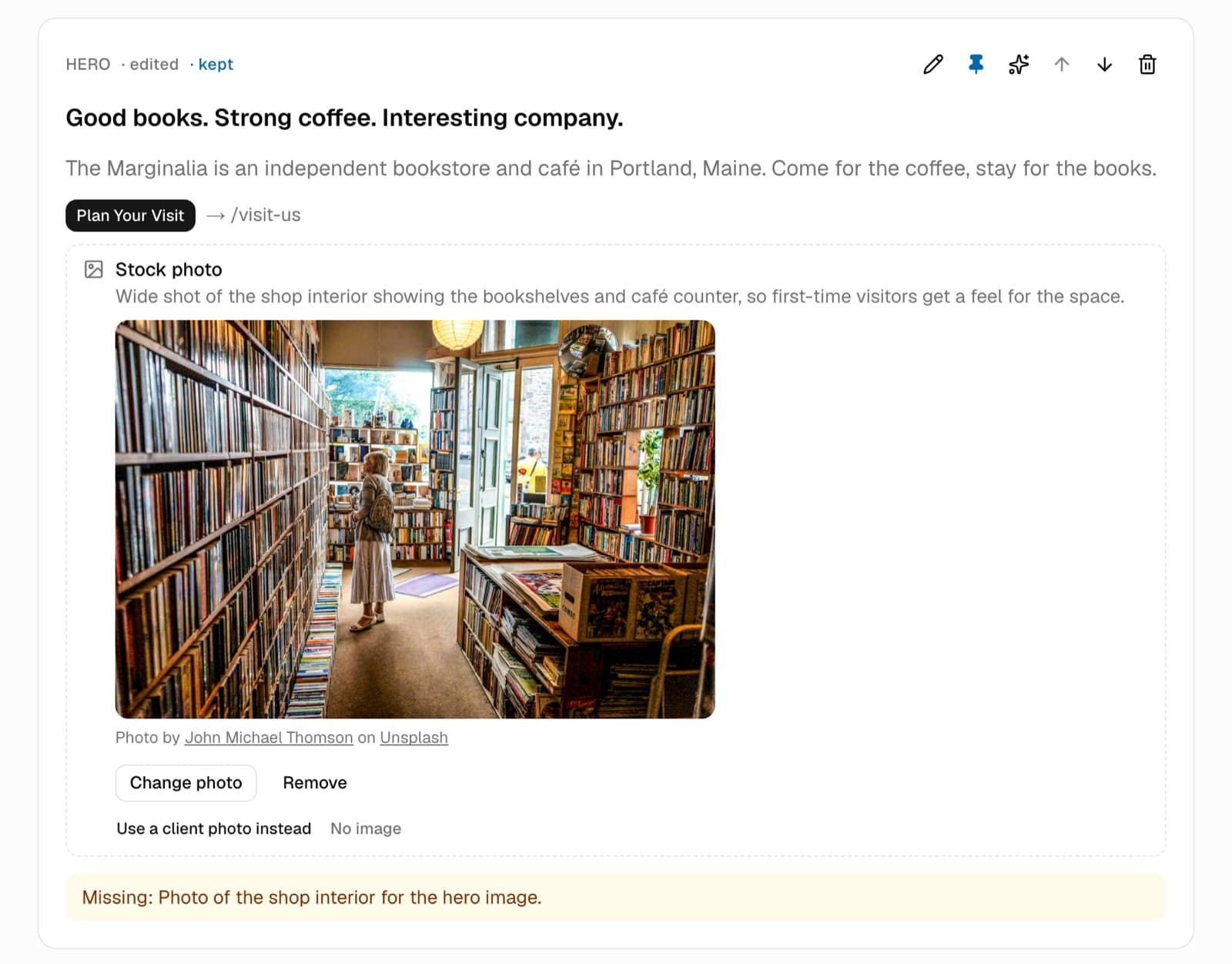
The hero section in SiteDraft: written copy, a stock photo for now, and a note that the real shop photo is still to come. 2 · Preview
SiteDraft · draft preview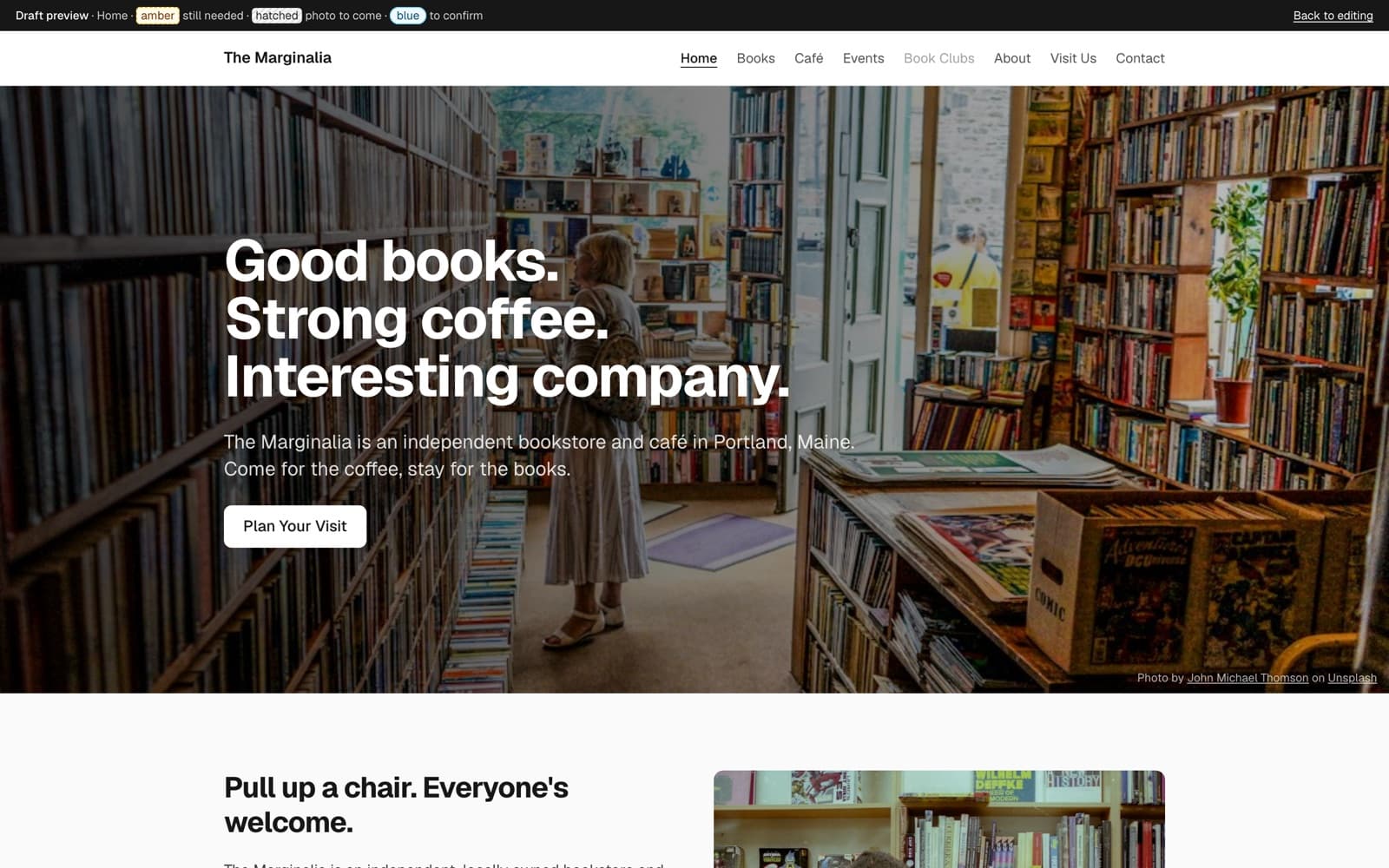
The same page in SiteDraft's preview, as a plain website. Gaps stay marked. 3 · WordPress: Basic
WordPress · Basic export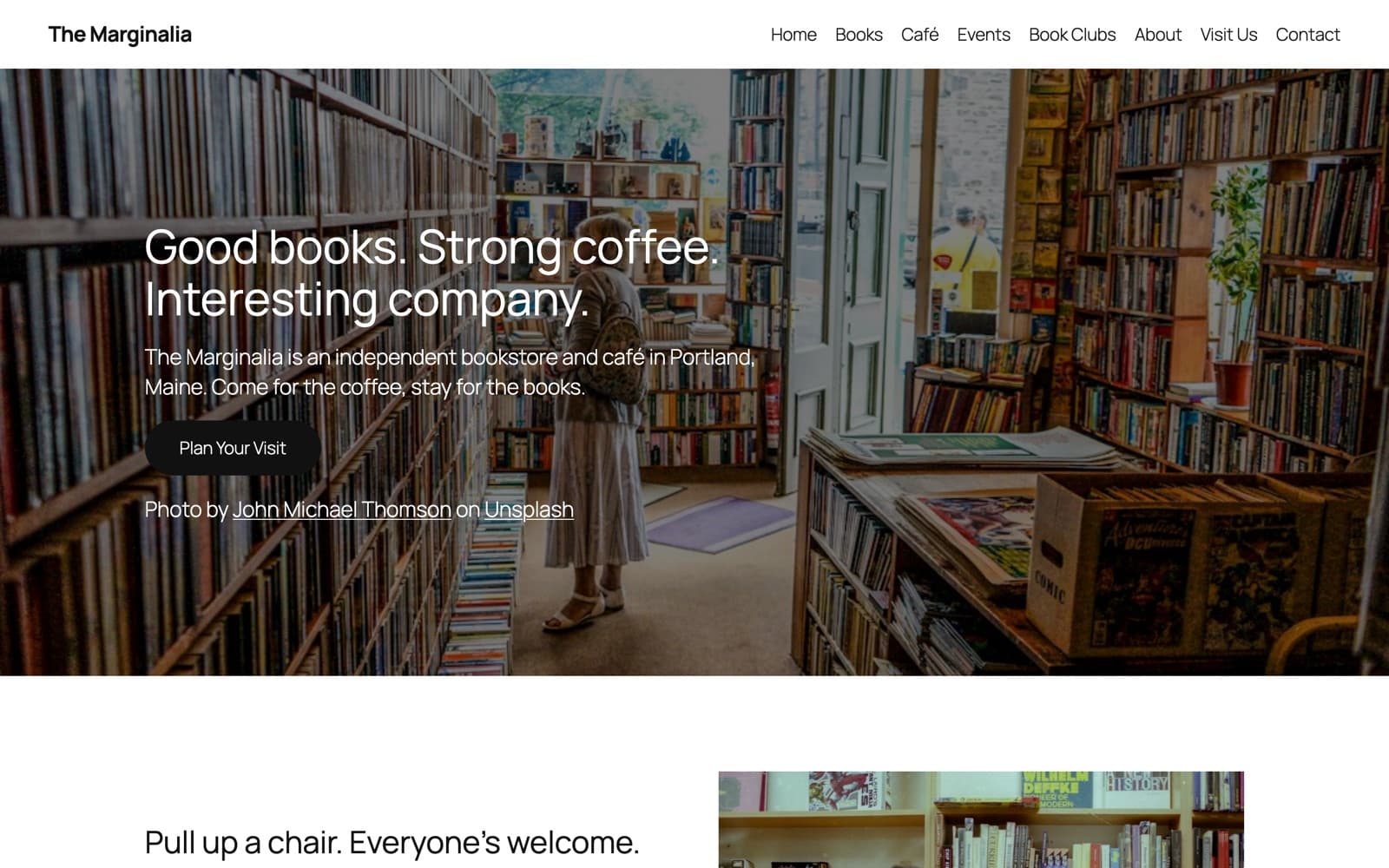
WordPress: Basic, imported into the default Twenty Twenty-Five theme. Your theme supplies the fonts, colors and buttons. 4 · Block editor
WordPress · block editor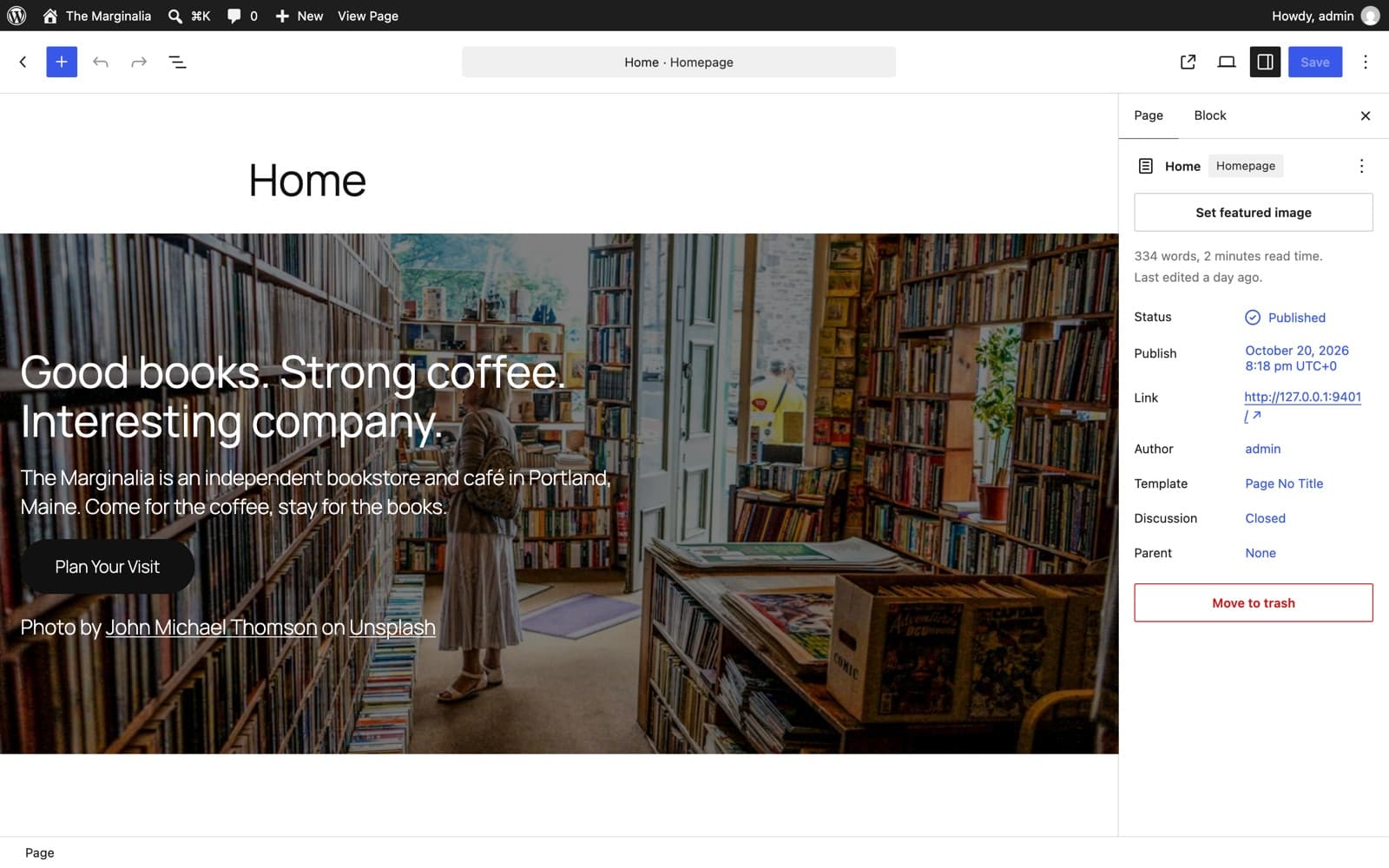
In the block editor, every section is ordinary core blocks, ready to edit. No plugins, no invalid-block warnings. 5 · WordPress: SiteDraft Starter
WordPress · SiteDraft Starter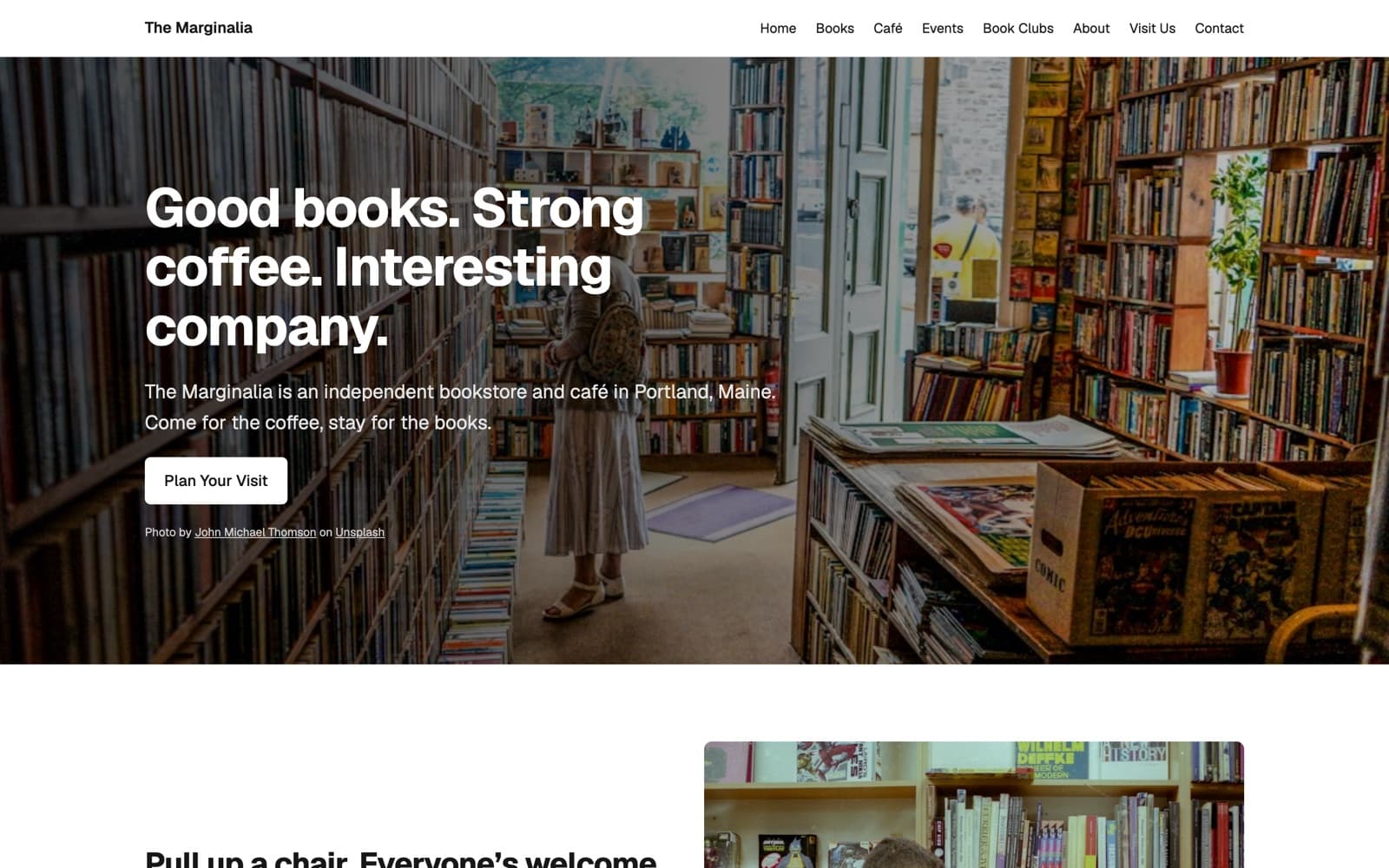
WordPress: SiteDraft Starter, the styled version with an optional starter theme you're free to rework. Pages, menu, photos and credits came in with the import. Real screenshots of a fictional example business, not mock-ups. See the examples.
Who does what
SiteDraft prepares. You make the decisions.
SiteDraft prepares
- The sitemap and page structure
- A section plan for every page
- First-draft copy and SEO metadata
- A list of everything still missing
- Editable WordPress or HTML pages
You decide
- What the site looks like
- What stays, changes or goes
- How it reads, in your client's voice
- How it's built, and with what
- When it's ready to launch
Enough groundwork. Let's make something.
Start with a thoughtful blueprint, useful content, and a little less busywork.